Klimax UI — the macOS app
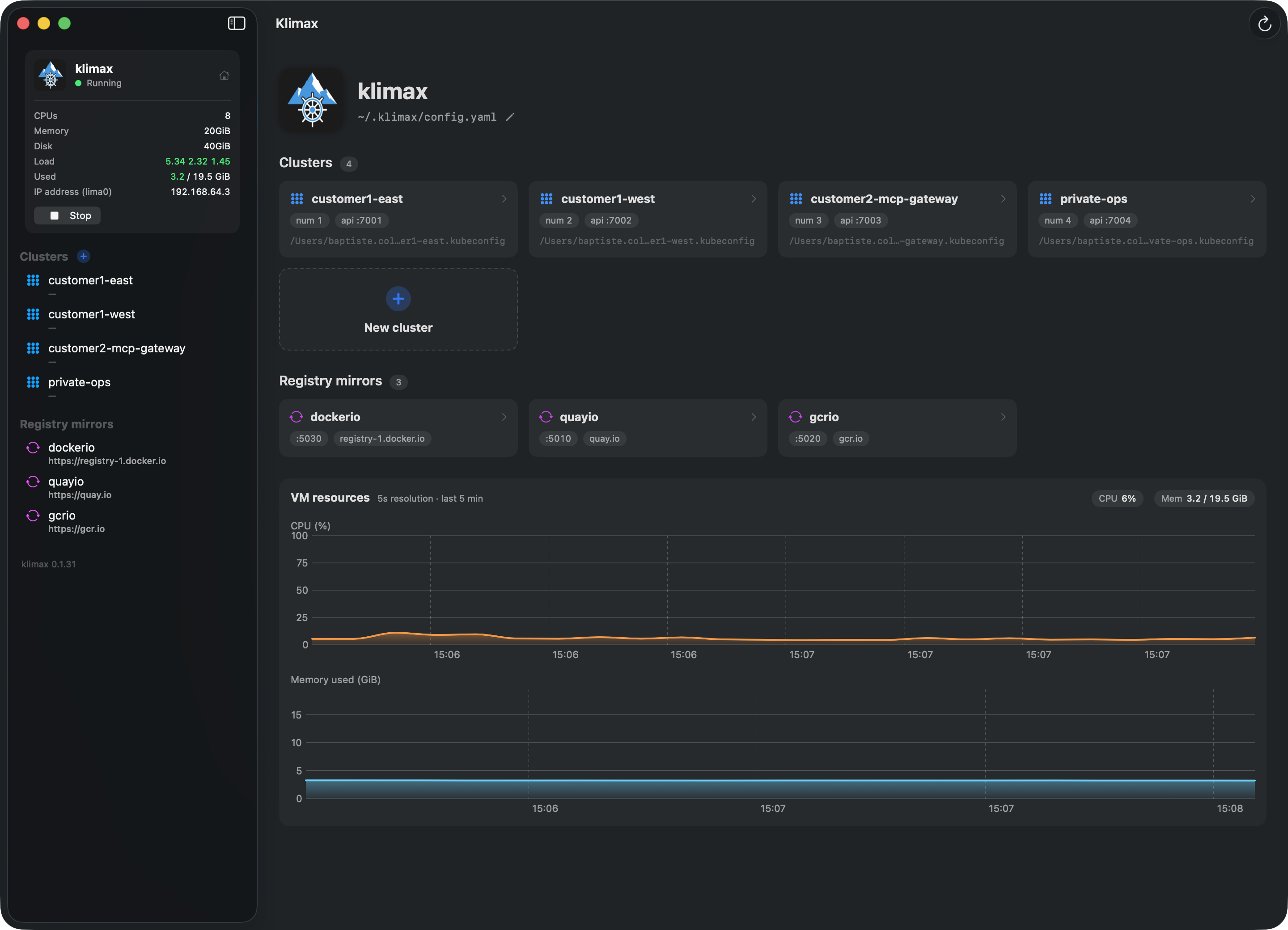
A native SwiftUI companion app for the klimax CLI. See your VM, kind clusters, and registry mirrors at a glance — live charts and reachability checks, without juggling terminals.
Why
The CLI is great for one-off commands. But to keep an eye on
what's running, how loaded it is, and which LoadBalancer
services are reachable, you'd otherwise be juggling
klimax cluster list, kubectl get,
kubectl top, ssh, and
du -sh across a fistful of terminals. Klimax UI rolls all
of that into one app.
What it shows
| Panel | What you get |
|---|---|
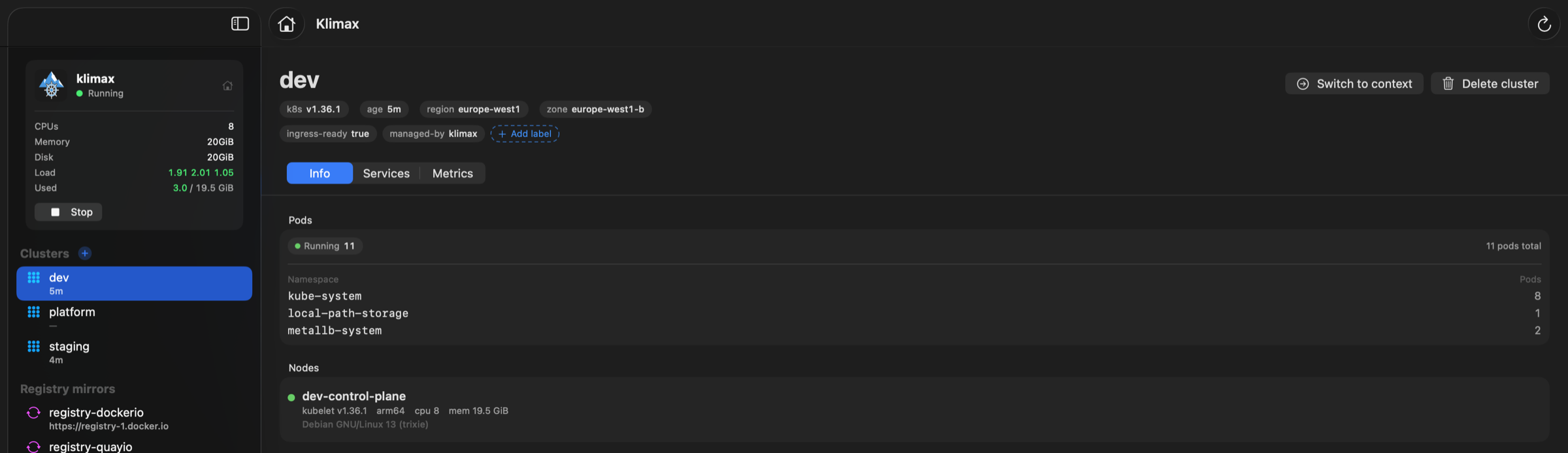
| Sidebar | klimax runs a single VM, so it's pinned at the top; your clusters — each with its relative age (e.g. 5h ago) — and registry mirrors are listed below. Refresh everything from the window toolbar or with ⌘R. |
| VM dashboard | Live CPU% and memory graphs, sampled every 5 s over the SSH ControlMaster socket klimax already maintains. |
| Cluster creation | Create a cluster from the sidebar's + button; it appears immediately with a live, auto-scrolling log of klimax cluster create — and any klimax warnings (e.g. a non-default kind node version) surface right in the sheet. |
| Per-cluster view | Node + pod inventory, live CPU/memory time series, and top pods by CPU and memory — with one-click Helm install of metrics-server. Hover a pod in the top-pods tables to overlay its history on the cluster charts for side-by-side comparison. The detail header shows the cluster's age. |
| LoadBalancer service browser | Lists every Service with external IPs, probes each (ip, port) over real TCP, and renders a clickable link when reachable. |
| Registry mirror inspector | Cache disk usage and image count for each mirror in ~/.klimax/registry-cache/. |
Install
The recommended path is the Homebrew cask:
$ brew tap bcollard/klimax
$ brew trust --tap bcollard/klimax
$ brew install --cask klimax-ui
Or download the latest KlimaxUI.dmg (or .zip)
from the
Releases
page.
The release build is signed with a Developer ID and notarized, so Gatekeeper opens it without warnings.
Upgrading Klimax UI
Quit the app, then pull the newest release the same way you installed it. With Homebrew:
$ brew update
$ brew upgrade --cask klimax-ui
$ open -a Klimax
Installed from a download instead? Grab the latest
KlimaxUI.dmg from the
Releases
page and drag it over the old copy in /Applications.
Share this section directly:
klimax.dev/docs/klimax-ui.html#upgrading.
Klimax UI upgrades independently of the klimax CLI —
no VM rebuild needed, since the app only reads klimax's state.
Requirements
- macOS 14 Sonoma or later.
- A working klimax install — at least one VM under
~/.klimax/. kubectlandhelmonPATH(klimax pulls these in).
How it works
No backend, no daemon, no new state — Klimax UI reads from the same sources klimax itself uses:
~/.klimax/<vm>/(lima.yaml, ssh config, liveness pid) for VM discovery and SSH.- Cluster kubeconfigs via
kubectl. - The Kubernetes
metrics.k8s.ioAPI for cluster metrics. ~/.klimax/registry-cache/for cache sizes.
VM stats come from /proc/stat and
/proc/meminfo read over SSH every 5 s. LoadBalancer
reachability is an actual TCP probe (NWConnection) from the
host — not a static CIDR check.
If metrics-server isn't installed in a cluster, the
Metrics tab offers a one-click Helm install
with --set args[0]=--kubelet-insecure-tls (required for
kind's self-signed kubelet).
Build from source
Clone the repo and run ./build.sh — it requires Xcode (for
the Swift 6 toolchain) and swift-bundler:
$ git clone https://github.com/bcollard/klimax-ui
$ cd klimax-ui
$ ./build.sh
See also
- bcollard/klimax-ui — the app's source on GitHub.
- Getting started — bring up the VM and your first cluster.